In this assignment, I’ll walk through creating a Rectangle class in Python and provide utility functions to manipulate rectangle objects. By the end, you’ll be able to see how I created rectangles, converted them to string representations, shifted their positions, and created offset rectangles.
Defining the Point Class
First, I needed a way to represent the position of our rectangles. For this, I create a simple Point class:
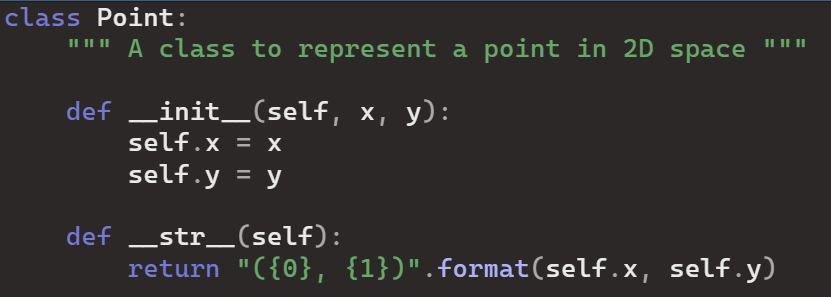
The Point class has an initializer to set the x and y coordinates and a string method for easy printing.
Creating the Rectangle Class
Next, I defined the Rectangle class, which uses the Point class to set its position:
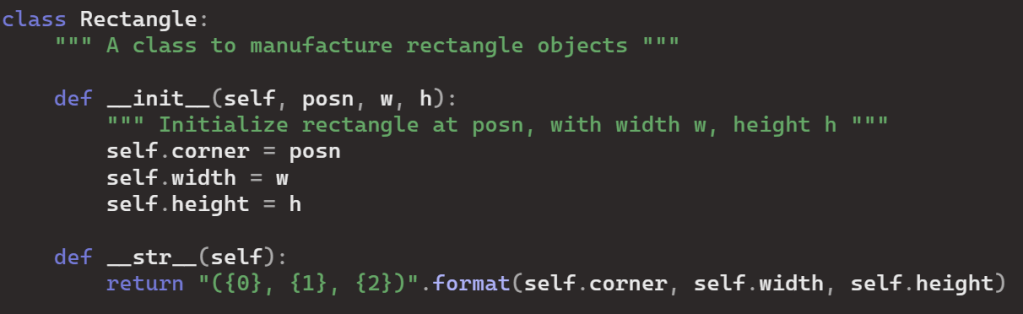
This class initializes a rectangle with a position, width, and height. It also has a string method to print its properties.
Utility Functions
Now, I defined four utility functions to create rectangles, converted them to strings, shifted their positions, and created offset rectangles.
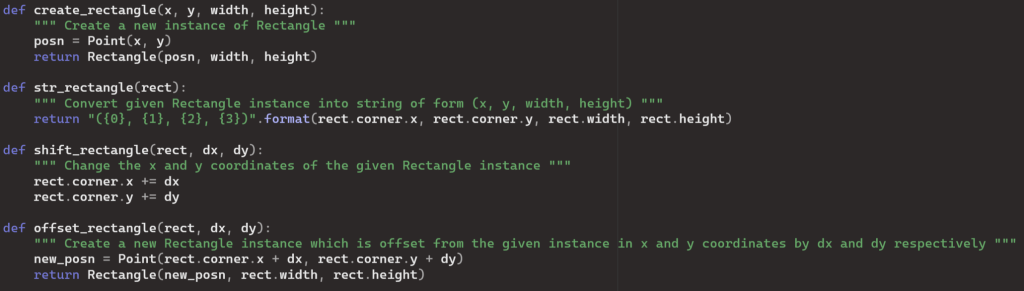
Testing the Functions
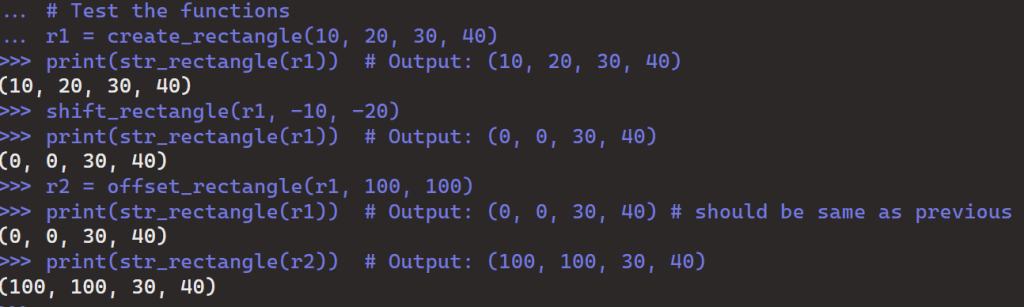
Finally, I tested the functions with the following code:
 Mack's Stats
Leave a comment